
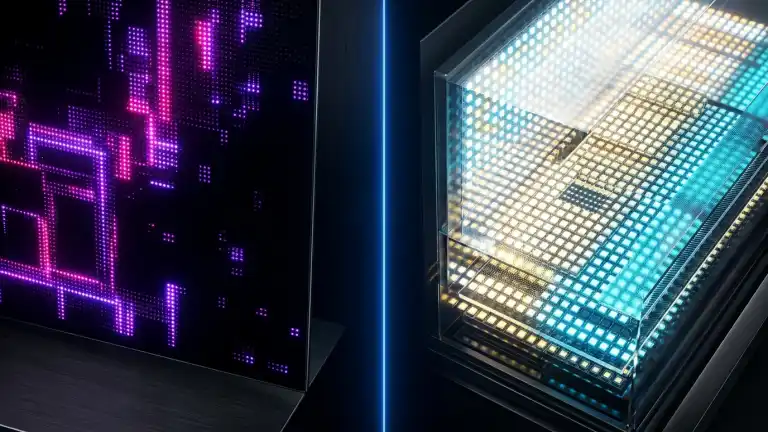
Compare OLED vs Mini-LED in-depth. Discover key differences in infinite contrast, peak brightness nits, burn-in risk, response times, and gaming performance.
Choosing between OLED and Mini-LED represents the ultimate dilemma when investing in a premium gaming monitor, creative workstation display, or high-end television. While both technologies deliver jaw-dropping high-dynamic-range (HDR) visuals that outclass traditional LED-backlit LCDs, their underlying panel architectures achieve brightness and contrast through fundamentally opposing engineering philosophies. As modern displays demand ultra-high bandwidth connectivity standards like DisplayPort 2.1 vs HDMI 2.1 to push 4K resolution at blistering refresh rates, understanding how OLED’s self-emissive pixels compare to Mini-LED’s localized dimming arrays is vital to choosing the right display for your lighting environment and workload.
What Is OLED (Organic Light Emitting Diode)?
OLED is an emissive display technology, meaning that each individual pixel generates its own light and color when electric current passes through organic compounds. Because there is no separate backlight layer behind the panel, an OLED display can independently turn off individual pixels completely to produce true, absolute black.
WOLED vs QD-OLED Variations
Modern OLED displays generally fall into two primary sub-categories:
- WOLED (White OLED): Developed primarily by LG Display, this design uses white organic emitters paired with red, green, blue, and a supplementary white subpixel to increase peak brightness without accelerating burn-in.
- QD-OLED (Quantum Dot OLED): Engineered by Samsung Display, this architecture emits blue organic light through a printed layer of quantum dots that convert light into pure red and green, delivering wider color volume and brighter spectral saturation.
What Is Mini-LED (Sub-Millimeter Local Dimming)?
Mini-LED is not an entirely new display panel; rather, it represents the most advanced evolution of traditional LCD (liquid-crystal display) backlighting. Standard LED TVs use a few dozen to a few hundred large LED bulbs behind the screen. Mini-LED replaces these with thousands of microscopic diodes (measuring under 0.2 millimeters each) arranged into hundreds or thousands of independently controlled Full Array Local Dimming (FALD) zones.
By pairing massive clusters of micro-diodes with quantum dot enhancement sheets, Mini-LED displays achieve extraordinary peak brightness and localized black level precision that traditional edge-lit or direct-lit LCDs could never match.
Key Differences: OLED vs Mini-LED
Whether you choose OLED or Mini-LED, screen size and resolution dictate pixel density and image sharpness. Calculate your visual acuity threshold on our free Monitor PPI Calculator.
1. Contrast Ratio and Black Levels: Infinite vs Segmented
Contrast ratio is the difference between the brightest white and the darkest black a display can produce:
- OLED: Possesses an infinite contrast ratio (∞:1) because each pixel functions as its own dimming zone. On a 4K OLED panel, there are over 8.29 million individual dimming zones. When a pixel displays black, it turns off entirely, emitting 0.000 nits of light.
- Mini-LED: High-end Mini-LED panels feature between 1,000 and 5,000 local dimming zones. While this delivers stellar deep blacks compared to standard LCDs, thousands of pixels still share a single dimming zone, meaning pure black is an approximation rather than pixel-level reality.
2. Peak Brightness: Daytime Punch vs Controlled Radiance
Peak luminance, measured in nits (candela per square meter), directly impacts visibility in sunlit rooms and the specular impact of HDR highlights:
- Mini-LED: Dominates in raw brightness, routinely achieving sustained peak brightness between 1,500 and 4,000 nits. This makes Mini-LED the premier choice for bright living rooms with uncovered windows.
- OLED: Modern third-generation OLED panels (utilizing Micro Lens Array or latest QD-OLED layers) reach peak highlight bursts around 1,000 to 1,500 nits in small 10% windows, but drop to 200-250 nits when displaying full-screen white content due to heat and power limitations.
3. Blooming and Halo Artifacts
Blooming (or haloing) occurs when bright objects appear against dark backgrounds – such as white movie subtitles, starry night skies, or desktop mouse pointers:
- OLED: Exhibits zero blooming. Light from one pixel never spills into the adjacent turned-off pixel.
- Mini-LED: Because local dimming zones are larger than individual screen pixels, backlights behind bright text bleed slightly into surrounding dark zones, creating a noticeable glowing halo in pitch-dark viewing environments.
4. Pixel Response Time and Motion Clarity
For high-refresh-rate competitive gaming, pixel transition time determines whether fast-moving images appear crisp or smeared:
- OLED: Delivers instantaneous pixel response times averaging 0.03 milliseconds (ms) Gray-to-Gray (GtG), completely eliminating ghosting and trailing artifacts.
- Mini-LED: Uses physical liquid crystals that physically twist to modulate light, resulting in GtG response times between 1 ms and 5 ms. While extremely fast, subtle dark-level smearing can still occur in fast-paced esports titles.
5. Viewing Angles
OLED maintains uniform color accuracy, contrast, and brightness up to nearly 90 degrees off-center. In contrast, Mini-LED panels (especially those using VA LCD matrices) experience noticeable contrast degradation, color washing, and pronounced blooming when viewed from side angles.
6. The Burn-In Question (Image Retention)
Because OLED uses organic compounds that degrade over cumulative hours of usage, displaying static elements (such as news chyrons, PC taskbars, or video game HUDs) at maximum brightness over thousands of continuous hours carries a potential risk of permanent burn-in. Modern OLEDs feature pixel-shifting and pixel-cleaning algorithms that minimize this risk for standard users. Mini-LED utilizes inorganic LEDs that suffer zero risk of permanent burn-in, making it impervious to static desktop usage.
Technical Comparison Table
| Feature / Metric | OLED (WOLED / QD-OLED) | Mini-LED (Quantum Dot FALD) |
|---|---|---|
| Panel Architecture | Self-Emissive (Pixel-Level) | Transmissive (Micro-LED Backlight + LCD) |
| Dimming Zones | Over 8.29 Million (Per-Pixel) | 1,000 to 5,000+ Zones |
| Contrast Ratio | Infinite (∞:1) | 50,000:1 to 100,000:1 (Dynamic) |
| Peak Brightness | 800 – 1,500 nits (10% window) | 1,500 – 4,000+ nits |
| Full-Screen White | 180 – 250 nits | 600 – 1,000+ nits |
| Light Blooming / Halos | None (Zero Blooming) | Moderate around high-contrast edges |
| Pixel Response Time | ~0.03 ms GtG | 1.0 – 4.0 ms GtG |
| Viewing Angles | Near Perfect (Up to 85°+) | Degrades off-center (Narrower) |
| Burn-In Vulnerability | Minor risk with static elements | Zero Risk (Immune) |
| Ideal Environment | Dark / Light-Controlled Rooms | Bright / Sunlit Living Rooms & Offices |
What Other Guides Miss: Critical Nuances
1. Automatic Brightness Limiter (ABL) Aggressiveness
To prevent overheating and protect organic diodes from premature degradation, OLED displays incorporate aggressive ABL circuits. When you open a full-screen white document or web browser, an OLED screen instantly dims the entire display noticeably. Mini-LED displays feature far more permissive thermal margins, maintaining consistent blistering brightness regardless of how much white content fills the screen.
2. Subpixel Layout and Desktop Text Clarity
Standard Windows ClearType assumes a traditional Red-Green-Blue (RGB) stripe subpixel layout. Many WOLED panels (utilizing R-W-B-G subpixels) and early QD-OLED panels (using triangular subpixels) cause subtle color fringing on fine black-on-white text, making them less optimal for 8-hour programming or text-heavy office work. Mini-LED panels use standard RGB stripe layouts, delivering razor-sharp text rendering without fringing.
3. Local Dimming Algorithm Latency
While Mini-LED panels boast fast refresh rates, their internal processing chip must analyze video frames in real time to calculate which of the 2,000 dimming zones to light up. In aggressive gaming modes, fast-moving bright objects can outpace the dimming zone activation, causing a brief “black trail” or lag in backlighting that OLED never experiences.
Which Display Technology Should You Choose?
Choose OLED If:
- You primarily watch movies or play games in dark or light-controlled environments.
- You play fast-paced competitive esports where 0.03 ms instant response time provides a tactical edge.
- You demand absolute zero light blooming around subtitles and deep space scenes.
- You sit at wide viewing angles with family or friends.
Choose Mini-LED If:
- Your display is situated in a bright room with direct sunlight or open windows.
- You use your screen primarily for desktop productivity, office work, or static software UI 8+ hours a day.
- You want maximum HDR impact and blinding specular highlights on full-screen outdoor scenes.
- You want complete peace of mind with zero concern regarding burn-in.
Frequently Asked Questions (FAQs)
Is Mini-LED the same as MicroLED?
No. Mini-LED is a backlighting system placed behind an LCD layer. MicroLED is an entirely self-emissive technology (like OLED) where microscopic inorganic LEDs form the individual pixels, combining the infinite contrast of OLED with the extreme brightness of Mini-LED. However, MicroLED remains commercially limited to ultra-expensive luxury wall displays costing tens of thousands of dollars.
Can an OLED TV last as long as a Mini-LED TV?
Under typical varied consumer viewing (movies, streaming, mixed gaming), modern OLED panels are rated for 50,000 to 100,000 hours of viewing before reaching half brightness – equating to over 10 years of heavy daily use. However, Mini-LED inorganic backlights maintain their peak brightness potential longer under continuous static loads.
Which is better for console gaming (PS5 / Xbox Series X)?
Both excel, but OLED is widely considered the gold standard for cinematic gaming due to per-pixel HDR contrast, instantaneous response times, and zero blooming in dark dungeon environments. Mini-LED is superior if you game in a bright daytime room with significant window glare.
Does Mini-LED have better color reproduction than OLED?
Mini-LED paired with Quantum Dot enhancement sheets delivers exceptional color volume, particularly at extremely high brightness levels. However, QD-OLED matches or exceeds Mini-LED across DCI-P3 and BT.2020 color spectrums while maintaining perfect color purity in dark scenes.
Key Takings
- Fundamental Contrast Difference: OLED provides infinite contrast through self-emissive pixels with zero blooming; Mini-LED approximates deep blacks via 1,000-5,000 local dimming zones.
- Brightness Mastery: Mini-LED easily wins in daytime environments, outputting 1,500-4,000 nits without aggressive ABL dimming.
- Esports Motion Advantage: OLED’s 0.03 ms pixel response time delivers virtually blur-free motion clarity compared to LCD transitions.
- Durability Profile: Mini-LED carries zero burn-in risk, making it bulletproof for desktop monitor productivity with static taskbars.
- Viewing Conditions Dictate Choice: Dark room cinema enthusiasts should pick OLED; bright living room families and office multitaskers should choose Mini-LED.
Additional Resource
• VESA DisplayHDR Compliance Standards: The official Video Electronics Standards Association specification detailing luminance, black level, and color gamut thresholds across OLED and local dimming display tiers.

Abdulrehman Khalid ✓ Verified Author
Founder & Lead Hardware Analyst at TechWorthies
Abdulrehman Khalid is a technology analyst, hardware researcher, and founder of TechWorthies. With extensive hands-on experience in benchmarking computer hardware, display interfaces, and wireless communications, he specializes in high-speed bus architectures, consumer electronics diagnostics, and emerging AI robotics. His technical guides prioritize empirical lab testing, official standards verification (IEEE, VESA, JEDEC), and actionable troubleshooting for hardware enthusiasts.