
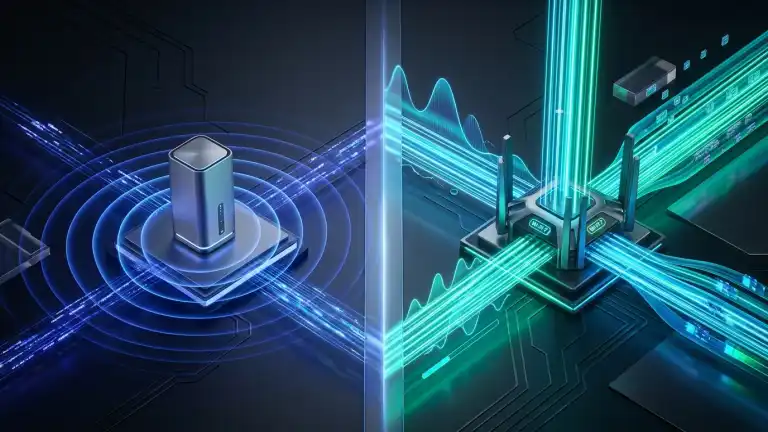
Compare Wi-Fi 7 vs Wi-Fi 6 and 6E in-depth. Discover key differences in 46 Gbps speeds, 320 MHz channels, 4K-QAM, Multi-Link Operation (MLO), and real-world upgrades.
Wireless networking is experiencing its most significant generational leap as Wi-Fi 7 (IEEE 802.11be) arrives to succeed Wi-Fi 6 (IEEE 802.11ax), fundamentally transforming how modern homes and connected enterprises handle data-intensive demands. While Wi-Fi 6 focused primarily on solving network congestion in crowded device environments, Wi-Fi 7 completely re-engineers wireless throughput by delivering theoretical speeds up to 46.1 Gbps through ultra-wide 320 MHz channels, 4096-QAM density, and multi-band Multi-Link Operation (MLO). As modern consumer technology demands multi-gigabit speeds across both next-gen wired standards like Thunderbolt 5 vs USB4 2.0 and high-bandwidth wireless protocols, understanding the fundamental differences between Wi-Fi 6 and Wi-Fi 7 is critical before upgrading your home router or enterprise hardware.
What Is Wi-Fi 6 (802.11ax)?
Introduced in 2019, Wi-Fi 6 (IEEE 802.11ax) transformed home and enterprise networking by shifting the design priority from purely peak speeds to overall network efficiency. In older Wi-Fi generations, a single bandwidth-heavy download could freeze other household devices. Wi-Fi 6 tackled this congestion with Orthogonal Frequency-Division Multiple Access (OFDMA) and Target Wake Time (TWT), enabling routers to divide single wireless channels into dozens of smaller sub-channels.
The Role of Wi-Fi 6E
In 2020, the Wi-Fi Alliance released an interim iteration known as Wi-Fi 6E. Operating on the exact same underlying 802.11ax architecture, Wi-Fi 6E unlocked the pristine, unlicensed 6 GHz radio spectrum (5.925 GHz to 7.125 GHz). This granted compatible devices access to up to 14 additional 80 MHz channels and 7 wide 160 MHz channels without competing against legacy 2.4 GHz and 5 GHz traffic like microwave ovens and older laptops.
What Is Wi-Fi 7 (802.11be)?
Ratified as IEEE 802.11be and designated as Extremely High Throughput (EHT), Wi-Fi 7 represents a massive architectural overhaul. Where Wi-Fi 6 focused on managing existing bandwidth, Wi-Fi 7 multiplies bandwidth capacity across every metric.
Operating simultaneously across 2.4 GHz, 5 GHz, and 6 GHz spectrums, Wi-Fi 7 is built specifically for ultra-low latency applications such as interactive virtual reality (VR), cloud gaming, multi-gigabit local file transfers (NAS), and industrial automation.
Key Differences: Wi-Fi 7 vs Wi-Fi 6 & 6E
1. Theoretical Speeds: 9.6 Gbps vs 46.1 Gbps
Wi-Fi 6 established a maximum theoretical throughput of 9.6 Gbps across eight spatial streams. In contrast, Wi-Fi 7 boosts maximum theoretical throughput to 46.1 Gbps—nearly a 4.8x increase.
In real-world environments with commercial client hardware (such as dual-antenna smartphones and laptops), Wi-Fi 6 typically peaks at real-world transfer speeds between 800 Mbps and 1.4 Gbps. Wi-Fi 7 client devices consistently achieve real-world wireless throughput between 3 Gbps and 5.8 Gbps, comfortably surpassing standard wired Gigabit Ethernet ports.
2. Channel Bandwidth: 160 MHz vs 320 MHz Channels
Channel width functions like physical lanes on a multi-lane highway:
- Wi-Fi 6 / 6E: Supports a maximum channel width of 160 MHz.
- Wi-Fi 7: Doubles maximum channel width to 320 MHz (exclusively in the 6 GHz band).
This ultra-wide 320 MHz channel permits twice the amount of raw data to be transmitted simultaneously, eliminating transmission bottlenecks when multiple gigabytes of game assets or 8K streams travel across the network.
3. Data Density: 1024-QAM vs 4K-QAM (4096-QAM)
Quadrature Amplitude Modulation (QAM) dictates how densely digital data is packed into each analog radio frequency wave:
- Wi-Fi 6: Uses 1024-QAM, packing 10 bits of data per transmission symbol.
- Wi-Fi 7: Upgrades to 4096-QAM (4K-QAM), packing 12 bits of data per symbol.
This 20% increase in data transmission density ensures that even on identical channel frequencies, a Wi-Fi 7 device transfers substantially more data in the exact same fraction of a second.
4. Multi-Link Operation (MLO): The True Game-Changer
In all previous Wi-Fi generations (including Wi-Fi 6 and 6E), devices could only connect to one frequency band at a time. Your device had to pick either 2.4 GHz, 5 GHz, or 6 GHz. If network interference occurred on that chosen band, your connection lagged or buffered.
Wi-Fi 7 introduces Multi-Link Operation (MLO), enabling a single device to transmit and receive data across multiple frequency bands simultaneously (e.g., combining 5 GHz and 6 GHz links into one unified super-pipe):
- Band Aggregation: Merges multiple bands to combine bandwidth, multiplying overall download and upload speed.
- Seamless Failover & Low Latency: If one frequency band experiences packet loss or physical obstruction, the network dynamically shifts critical packets through the secondary link in less than a millisecond, slashing latency and jitter.
Technical Comparison Table
| Feature / Metric | Wi-Fi 6 (802.11ax) | Wi-Fi 6E (802.11ax) | Wi-Fi 7 (802.11be) |
|---|---|---|---|
| Release Year | 2019 | 2020 | 2024 |
| Supported Bands | 2.4 GHz, 5 GHz | 2.4 GHz, 5 GHz, 6 GHz | 2.4 GHz, 5 GHz, 6 GHz |
| Max Theoretical Speed | 9.6 Gbps | 9.6 Gbps | 46.1 Gbps |
| Max Channel Width | 160 MHz | 160 MHz | 320 MHz (6 GHz) |
| Modulation Density | 1024-QAM (10 bits) | 1024-QAM (10 bits) | 4096-QAM (12 bits) |
| Multi-Link Operation (MLO) | Not Supported | Not Supported | Fully Supported |
| Preamble Puncturing | Basic / Optional | Basic / Optional | Mandatory & Advanced |
| MU-MIMO Spatial Streams | 8×8 | 8×8 | 16×16 |
| Target Latency Range | 10 ms – 25 ms | 5 ms – 15 ms | < 2 ms – 5 ms |
| Ideal Deployment | 1 Gbps Home Networks | Low-interference 6 GHz | Multi-Gigabit Fiber & VR |
What Other Guides Miss: Hidden Technical Advancements
Most mainstream comparison articles gloss over the fundamental low-level innovations that make Wi-Fi 7 genuinely revolutionary in congested, real-world neighborhoods:
1. Advanced Preamble Puncturing (Channel Slicing)
In Wi-Fi 6, if you used a 160 MHz channel and a neighboring device created radio interference on a narrow 20 MHz slice, your router had to forfeit the entire top half of the channel, dropping down to an 80 MHz channel.
Wi-Fi 7 introduces Mandatory Preamble Puncturing. If a 20 MHz slice inside a 320 MHz channel experiences interference, the router simply “punctures” or carves out that specific 20 MHz slice while continuing to transmit across the remaining 300 MHz of clean spectrum. This preserves maximum bandwidth despite noisy environments.
2. MLO Modes: STR vs NSTR
Multi-Link Operation functions in two distinct modes depending on hardware capabilities:
- Simultaneous Transmit and Receive (STR): Found on high-end routers, workstations, and high-performance laptops. It utilizes discrete radio transceivers to transmit data on 5 GHz while simultaneously receiving data on 6 GHz without self-interference.
- Non-Simultaneous Transmit and Receive (NSTR): Designed for smartphones and power-conscious mobile devices. The device alternates rapidly between bands on a single transceiver, saving battery life while maintaining ultra-fast dynamic link switching.
3. 16×16 MU-MIMO Spatial Streams
Wi-Fi 6 capped Multi-User Multiple-Input Multiple-Output (MU-MIMO) at 8 spatial streams. Wi-Fi 7 doubles this architecture to 16×16 MU-MIMO, allowing enterprise access points and mesh nodes to serve twice as many heavy concurrent client streams without degradation.
4. The Multi-Gigabit Hardware Bottleneck Trap
A critical detail often omitted by manufacturers: to achieve real-world Wi-Fi 7 speeds over 1 Gbps, your entire home infrastructure must eliminate wired bottlenecks:
- ISP Gateway & WAN Ports: Your router must feature a 2.5 Gbps or 10 Gbps Ethernet WAN port connected to a multi-gigabit fiber ONT. Standard 1 Gbps RJ45 ports cap wireless output to 940 Mbps regardless of Wi-Fi 7 capabilities.
- Client Hardware Compatibility: Older devices (like iPhone 15 and previous laptops) lack Wi-Fi 7 baseband chips and cannot access 320 MHz channels or MLO.
Should You Upgrade to a Wi-Fi 7 Router?
Stick with Wi-Fi 6 or 6E If:
- Your residential internet speed plan is 1 Gbps (1000 Mbps) or lower.
- Your current household devices (smart TVs, streaming sticks, older smartphones) only support Wi-Fi 5 or Wi-Fi 6.
- You are satisfied with stable 10 ms to 20 ms latency for casual gaming and 4K video streaming.
Upgrade to Wi-Fi 7 If:
- You subscribe to multi-gigabit internet plans (2 Gbps, 5 Gbps, or 10 Gbps fiber).
- You own Wi-Fi 7 client devices (such as iPhone 16 series, Samsung Galaxy S24 Ultra, or Intel/Qualcomm Wi-Fi 7 laptop cards).
- You require local ultra-fast network transfers to a Network Attached Storage (NAS) or local home server.
- You participate in competitive cloud gaming or virtual reality (PC-VR streaming) where packet jitter and buffer delays ruin the experience.
FAQs
Are Wi-Fi 7 routers backward compatible with older devices?
Yes, Wi-Fi 7 is fully backward compatible with older Wi-Fi 6, Wi-Fi 6E, Wi-Fi 5 (802.11ac), and Wi-Fi 4 devices. Older devices connect normally using their maximum supported protocols, while native Wi-Fi 7 devices utilize 320 MHz channels and MLO.
Does Wi-Fi 7 have better physical range than Wi-Fi 6?
Because Wi-Fi 7 operates across the same 2.4 GHz, 5 GHz, and 6 GHz radio frequencies governed by regional transmit power limits, raw physical transmission range is roughly comparable to Wi-Fi 6. However, because Wi-Fi 7 utilizes Preamble Puncturing and Multi-Link Operation (MLO), usable speeds at the outer edges of your home are significantly higher and more stable.
Can Wi-Fi 7 replace wired Ethernet cables?
For the majority of gamers, creators, and home users, yes. With real-world latencies dipping below 3 ms and real-world throughput exceeding 4 Gbps, Wi-Fi 7 matches and often exceeds standard 1 Gbps and 2.5 Gbps wired Ethernet connections.
Do I need a new smartphone to use Wi-Fi 7?
To experience exclusive Wi-Fi 7 features (such as 46 Gbps theoretical ceilings, 320 MHz channel widths, and MLO multi-band bonding), your smartphone must have a Wi-Fi 7 modem (such as Qualcomm FastConnect 7800 or MediaTek Filogic). Older phones still function smoothly on Wi-Fi 7 routers via standard Wi-Fi 6 or Wi-Fi 5 links.
Key Takings
- Extreme Generational Jump: Wi-Fi 7 raises theoretical throughput from 9.6 Gbps to 46.1 Gbps through 320 MHz channel widths and 4096-QAM density.
- Latency Revolution via MLO: Multi-Link Operation enables devices to bond 5 GHz and 6 GHz spectrums simultaneously, dropping real-world latency to sub-3 ms.
- Interference Immunity: Mandatory Preamble Puncturing allows Wi-Fi 7 to carve out congested slices of spectrum rather than forfeiting full channels.
- Infrastructure Prerequisite: Real-world multi-gigabit wireless performance requires multi-gigabit fiber internet paired with 2.5G or 10G router WAN/LAN ports.
- Full Backward Compatibility: Older devices function seamlessly alongside next-gen Wi-Fi 7 hardware without network incompatibility.
Additional Resource
• Wi-Fi Alliance Official Wi-Fi CERTIFIED 7™ Specification: The international standards organization’s official technical documentation detailing IEEE 802.11be protocols, MLO architectural specifications, and global certification compliance.

Abdulrehman Khalid ✓ Verified Author
Founder & Lead Hardware Analyst at TechWorthies
Abdulrehman Khalid is a technology analyst, hardware researcher, and founder of TechWorthies. With extensive hands-on experience in benchmarking computer hardware, display interfaces, and wireless communications, he specializes in high-speed bus architectures, consumer electronics diagnostics, and emerging AI robotics. His technical guides prioritize empirical lab testing, official standards verification (IEEE, VESA, JEDEC), and actionable troubleshooting for hardware enthusiasts.