
Test every mouse button, scroll wheel step, click response time, and detect mechanical switch chatter instantly.
Mechanical switches bounce upon actuation. An interval below 80 ms indicates hardware switch chatter.
Key Takeaways
- Multi-Button Verification: Test Left Click, Right Click, Middle Click, and Side Buttons 4 and 5 instantly.
- Debounce Chatter Detection: Flags mechanical microswitch chatter and unintended double clicks under 80 milliseconds.
- Interactive Scroll Wheel Monitor: Tracks scroll direction, notch steps, and middle click reliability.
- Live 5-Second CPS Sprint: Measure your click speed and raw switch responsiveness in real time.
What Causes Mouse Double Clicking and Switch Chatter?
Mouse double clicking occurs when a worn mechanical switch sends multiple click signals from a single physical finger press. Inside mechanical switches like Omron or Kailh, a tiny metal spring flexes to make contact with electrical terminals. Over months of heavy clicking, this metal spring loses tension or oxidizes.
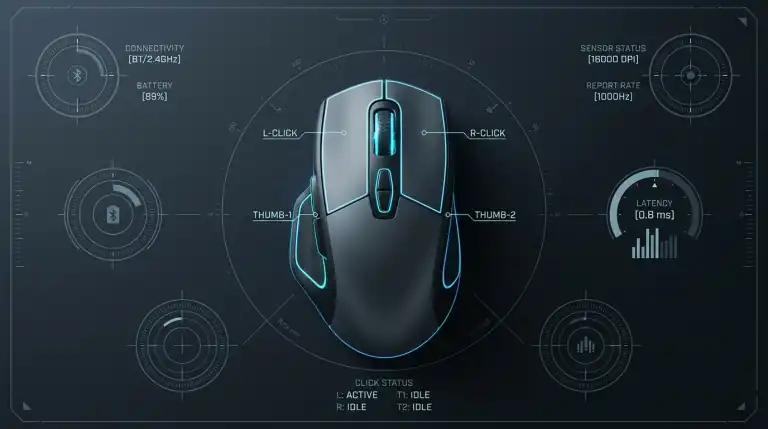
When the contacts touch, they do not close smoothly. Instead, they bounce rapidly against each other for a few milliseconds. Mouse firmware uses a debounce delay filter to ignore these bounces. When the bounce duration exceeds the firmware filter time, your operating system registers two distinct clicks.
Optical mouse switches eliminate chatter completely. They use an infrared light beam rather than metal contacts. When you press an optical switch, a plastic shutter blocks the light beam instantly without electrical bounce.
Understanding Click Debounce Time
Debounce time is the duration in milliseconds that your mouse controller waits before accepting another click signal from the same switch:
- Too High (Over 15ms): Prevents double clicks, but increases input lag in competitive shooter games.
- Optimal (4ms to 8ms): Balances rapid clicking speed with clean contact debouncing.
- Too Low (Under 4ms on mechanical switches): Causes unintended double clicks, dropped drag-and-drop actions, and broken rifle bursts in games.
If your mouse disconnects during fast swipes, ensure your USB port provides steady power. Read our guide on how to stop Windows 11 from turning off USB ports.
How to Use This Online Mouse Tester
You can verify all mouse functions quickly:
- Click Left, Right, and Middle buttons inside the interactive pad above.
- Press Side Buttons 4 and 5 on gaming mice to confirm their signals.
- Roll your scroll wheel up and down to check wheel encoder stepping.
- Review the Debounce Chatter monitor to verify that click intervals remain normal.
- Click the Start 5s Sprint button to measure your Clicks Per Second (CPS).
More Free Hardware Diagnostic Tools
Test your complete gaming and workstation hardware setup with our suite of free online browser tools:
FAQs
What click interval indicates a faulty double clicking mouse?
Any click interval below 80 milliseconds from a single physical tap indicates mechanical switch bounce or chatter. Normal human finger clicking rarely exceeds 10 to 12 clicks per second, which equals roughly 80 to 100 milliseconds per cycle.
Can software fix a double clicking mouse?
Yes. If your mouse manufacturer software offers debounce time adjustment, raising debounce from 4ms to 8ms or 12ms can mask switch wear. However, severe physical spring fatigue eventually requires switch replacement or upgrading to optical switches.
Why does right click show a context menu during tests?
Our interactive mouse canvas above intercepts browser context menu events automatically. As long as you click inside the tester frame, your right mouse button will register clean hardware inputs without opening browser menus.
How do I test my keyboard switches or controller drift?
Use our Keyboard Ghosting Test to check all 104 mechanical keys. To inspect analog stick drift and deadzones, open our Gamepad Tester.