
Compute exact pixels per inch (PPI), dot pitch, visual acuity blending distance, and ergonomic viewing ranges for any desktop monitor or laptop.
Calculated according to 20/20 Snellen visual acuity limits, SMPTE 30-degree, and THX standards.
Key Takeaways
- Accurate Pixel Density: Calculates exact Pixels Per Inch (PPI), dot pitch in millimeters, and total megapixels.
- 20/20 Snellen Visual Acuity: Determines the exact distance where human eyes can no longer distinguish individual pixels.
- Cinema Immersion Standards: Computes SMPTE 30-degree and THX 40-degree field of view viewing distances.
- One-Click Resolution Presets: Quickly evaluate 1080p, 1440p, 4K UHD, and ultrawide screen configurations.
What Is Pixels Per Inch (PPI) and Why Does It Matter?
Pixels Per Inch (PPI) measures the pixel density of a display screen. It represents the number of individual physical pixels packed into a single linear inch. Higher PPI delivers sharper text, crisper digital artwork, and cleaner edges without visible jagged pixels.
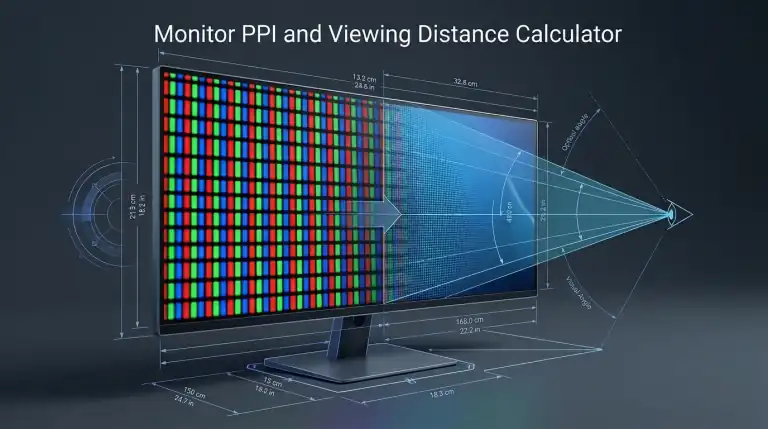
Screen size alone does not determine sharpness. A 27-inch 1080p display has a pixel density of roughly 81 PPI. In contrast, a 27-inch 4K monitor delivers 163 PPI. Text on the 4K panel looks clear and sharp like printed paper, while text on the 1080p panel can appear grainy.
The mathematical formula for PPI uses the Pythagorean theorem:
PPI = √(Width² + Height²) / Diagonal
Visual Acuity Distance: The Retina Display Threshold
Visual acuity distance is the viewing distance where a person with normal 20/20 vision cannot distinguish individual pixels on a display screen. Beyond this distance, the screen appears completely smooth and continuous.
The human eye with 20/20 vision can resolve details down to 1 arcminute (1/60th of a degree). Using optical trigonometry, the visual acuity distance is calculated as:
Viewing Distance = 3438 / PPI (inches)
- 24-inch 1080p (92 PPI): Requires 37.4 inches (95 cm) viewing distance for pixels to blend smoothly.
- 27-inch 1440p (109 PPI): Requires 31.5 inches (80 cm) viewing distance.
- 27-inch 4K (163 PPI): Pixels blend completely at 21.1 inches (54 cm), which matches normal desk distance.
If your monitor turns black intermittently while running at high resolution or refresh rates, check your display cable bandwidth. Read our troubleshooting guide on why monitor turns black for a few seconds.
Recommended Cinema Viewing Distances (SMPTE and THX)
For immersive gaming and movie viewing, professional cinema organizations establish recommended viewing distances based on field of view (FOV):
- SMPTE 30-Degree Field of View: The Society of Motion Picture and Television Engineers recommends a viewing distance of 1.6 times the screen diagonal. This angle provides comfortable, fatigue-free viewing for general content.
- THX 40-Degree Field of View: THX recommends a viewing distance of 1.2 times the screen diagonal. This angle creates maximum cinematic immersion where the screen fills your peripheral vision.
More Free Hardware Diagnostic Tools
Test your complete gaming and workstation hardware setup with our suite of free online browser tools:
FAQs
What is an ideal PPI for PC desktop monitors?
For typical desktop viewing distances of 24 to 28 inches, a pixel density between 110 and 140 PPI provides an excellent balance. It delivers sharp fonts and clear images without requiring extreme Windows display scaling.
What is dot pitch in monitor specifications?
Dot pitch is the physical distance between the centers of two adjacent subpixels of the same color, measured in millimeters. Smaller dot pitch indicates higher pixel density and sharper image reproduction.
Does higher PPI hurt gaming performance?
Higher PPI itself does not affect your graphics card. Total pixel count determines GPU workload. A 27-inch 4K monitor and a 43-inch 4K TV demand the exact same graphics processing power because both render 8,294,400 pixels per frame.
How do I test my input peripherals?
Verify your gaming keyboard rollover limit on our Keyboard Ghosting Test. You can also inspect mouse double clicking on our free Mouse Test tool.